ViralOps Studio for Marketing
Turn what you know about your business into a narrated film
For the day a feature ships. Describe the business, product or story and give the facts. Studio writes the script, narrates it and delivers an animated film in landscape and portrait, with a title, description and thumbnails ready to post.
For founders, marketers and small teams who need brand, product and launch films that are not straight ads.
What you can make
Brand story
Say why the business exists, what it believes and what it promises.
About 90 seconds
Example brief: Tell the brand story of Fennel and Flint, a made-up neighbourhood cookware shop. Supply the origin: why the founders opened it, in your own words. Then what they believe about everyday cooking, what the shop sells and who it is for, and the one promise it makes. Use only true details, and finish with the shop name and where to find it.
Start a brand story in StudioUse-case or industry video
Show how a product fits one kind of buyer or one industry.
About 75 seconds
Example brief: Show how Tallyline, a made-up scheduling tool, helps small physiotherapy clinics. Name the buyer, a clinic manager. Describe the daily problem of double-booked rooms and missed reminders, then the three things the tool does about it, in the order a manager would use them. End on the one question a clinic should ask before choosing any scheduling tool.
Start an use-case or industry video in StudioProduct or feature explainer
Explain one product or feature clearly, for a landing page.
About 90 seconds
Example brief: Explain the Shared Shelf feature of Tallyline, a made-up scheduling tool, for the product page. Cover what it is, the problem it solves when two staff need the same room, how to switch it on in three steps, and one example of a clinic using it. State what it does not do. End by pointing viewers to the plans page.
Start a product or feature explainer in StudioReview or comparison, not an ad
Compare options fairly, with trade-offs for each. Rivals are only named if your brief names them.
About 90 seconds
Example brief: Compare three made-up ways a small shop can take bookings: a paper diary, a shared online calendar and a dedicated booking tool. Give each an honest strength and an honest limit, for cost, set-up effort and reminders. Keep the tone neutral and do not pick a winner; say which kind of shop each option suits best.
Start a review or comparison, not an ad in StudioCustomer case study
Tell one customer story. Studio uses only the facts, figures and words you supply and never writes a quote.
About 90 seconds
Example brief: Case study for Dunmore Fabrics, a made-up online fabric shop, and the order tool it adopted. Supply the situation before, the problem it caused, what the shop changed in order, and the result using the owner's own figures and the period they cover. Add any words the owner has agreed to share exactly as written, and the owner's permission to tell the story.
Start a customer case study in StudioLaunch or announcement film
Announce something new with the key facts first.
About 45 seconds
Example brief: Announce that Tallyline, a made-up scheduling tool, is adding a mobile app for clinic staff. Lead with what is new and who it is for. Give the date it becomes available, the two main things staff can do in it, and which plans include it. Keep the tone plain and factual, and finish with where to read the full details.
Start a launch or announcement film in StudioSocial-feed teaser
A short teaser that works with the sound off and makes people want the full film or page.
About 15 seconds
Example brief: Make a 15-second teaser for social feeds for the Fennel and Flint spring sale, a made-up cookware event. Open with one striking line about cooking dinner in one pan. Hint at the sale dates and the shop name without giving every detail. End on a single call to follow the shop for the full announcement.
Start a social-feed teaser in Studio
The example briefs are for made-up businesses, lessons and subjects. Lengths are typical, and you choose your own.
How it works
Step 1
Write a brief
Describe what you want, or paste your notes. Pick a video type and a length, or let Studio decide.
Step 2
Get a narrated film in two formats
Studio writes the script, narrates it and animates it, in landscape and portrait from one edit. The two layouts are re-laid out rather than cropped, with drawings timed to the narration.
Step 3
Post it with the kit
Each film comes with a title, description, chapters and thumbnails, ready to copy.
What Studio does today, and what it does not
What it does
- Narrated animated films from a brief or your own material
- Landscape and portrait from one edit, re-laid out rather than cropped
- Captions burned into the picture
- An original score
- A title, description, chapters and thumbnail options for posting
What it does not do
- No live-action footage
- No on-camera presenters
- No screen recording
- Films are up to 5 minutes today
Plans
Every pack runs on the same Studio plans. The one-day trial costs US$5 and includes one 10-second film. The US$5 is credited to your first month if you continue.
Creator
US$79 / month
Pro
US$199 / month
Business
US$499 / month
Animation styles
2 animation styles and paper films, with more styles being added.
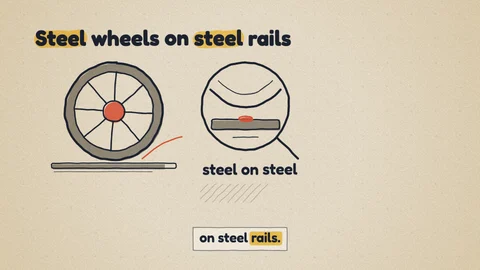
Hand-drawn
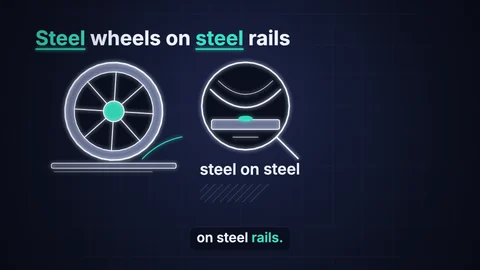
Dark keynote
Paper film
A 15-second vertical clip of a handmade paper scene that builds itself, with sound. The scene and the clip are generated with AI. Included each month: 1 on Creator, 2 on Pro, 5 on Business. Not part of the trial. A paper film is not a narrated film, and it is not a style you can choose for narrated films.
Frequently asked questions
- What kinds of marketing films can I make?
- Brand stories, use-case and industry videos, product and feature explainers, balanced reviews and comparisons, case studies, launch films and short social-feed teasers. Each is a narrated animated film. For straight product and offer ads, see the Ads pack.
- Where do the facts come from?
- From the brief you write. Studio is told to use only the facts you give it and not to invent names, figures, dates or claims. If your brief leaves something out, the film leaves it out. Check the finished film before you publish it.
- Can Studio write a customer quote for a case study?
- No. A case study uses only the facts, figures and words you supply, and Studio does not write quotes or endorsements for anyone. Get your customer's permission before you tell their story, and supply their own figures and the period they cover.
- Can I compare myself with a competitor?
- Only if your brief names them. The review and comparison type is built to be balanced, with a strength and a limit for each option. Any claim should be one you can back up.
- Does it film my product or my team?
- No. Studio makes narrated animated films. It does not use live-action footage or on-camera presenters, so it does not show your real product or people on screen.
- How long can a film be?
- Any length up to 5 minutes today. Each film type suggests a typical length, and you choose your own.
- What do I get at the end?
- The film in landscape and portrait from one edit, with captions and an original score, plus a title, description and thumbnails for posting.
- Is the narration a real person?
- No. Narration is AI-generated, and the posting copy says so. Check every fact, name and claim in a film before you publish it.
- Can I try it before I subscribe?
- Yes. The one-day trial costs US$5 and includes one 10-second film. The US$5 is credited to your first month if you continue. A card is required.